Contact Info
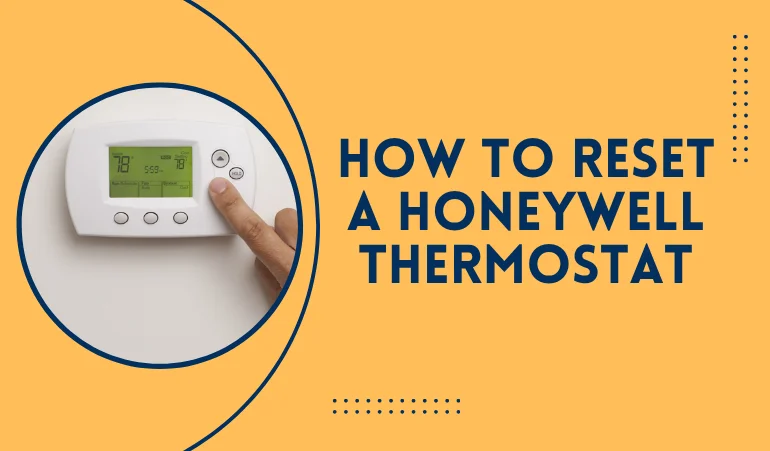
To reset a Honeywell thermostat, first identify the model. For smart models, go to the menu, find the reset option, and then click on the factory reset option. For programmable models, a reset is initiated by holding the fan and up-arrow buttons for 7 seconds. For non-programmable models, removing batteries and reversing their polarity for 10 seconds generally initiates a reset.
This was a quick overview. Now, let's dive deeper into the details. We will explore when to reset a thermostat, how resetting works for different models, what to do after resetting, and when hiring a professional is a better choice. There are many models of Honeywell thermostats across the USA. We will be talking only about those that are more common in Pennsylvania and New Jersey.
The thermostat is one of the most important components of an HVAC appliance. It monitors the temperature and humidity and directly communicates with the control panel. It gets information from the sensors and directs the compressor to cool or warm the air, depending on your requirements and climate. Just like any other electronic appliance, a thermostat can get faulty. When malfunctioning, a reset is the standard proposed action to be taken at the earliest convenience. If not working, then looking for other fixations is recommended.
However, it was a little bit about the thermostat. Now, let's understand the conditions in which a thermostat reset may be required.
This is the most encountered issue. When the electric power cuts off, the thermostat connection to the appliance is lost. When the power returns, the thermostat stops working, shows a blank screen, or just struggles to monitor the actual temperature. Whenever stuck with a similar situation, attempt a reset first before trying a costly thermostat replacement or repairs.
Many times, your thermostat screen displays offline while your network is working fine. This may have a variety of underlying causes, such as router updates or incompatibility with the network. Regardless of the cause, most thermostats benefit from a reset in this case. However, the resetting methods may vary depending on the model, specifications, and components.
There comes a scenario when your thermostat fails to monitor the actual temperature inside your home or a business facility. This may be due to faulty communication between the sensors and the thermostat or the thermostat and the control panel. Whatever the underlying cause may be, attempting a reset often yields resolution of the issue. That's why trying a factory reset is recommended at the first step before moving to any other step.
This especially occurs in humid areas across the Lehigh Valley, such as Philadelphia, Bucks, Coatesville, etc., where the humidity effect is prevalent.
When there is a shift from heating to cooling season, a thermostat reset is the best step to be taken first. It makes your thermostat new, ready to monitor temperature according to new priorities and for the new comfort demands. The temperature-measuring appliance now better understands the climate fluctuations, which are often severe in some areas such as Reading, Stroudsburg, Newark, and Trenton.
There are multiple versions of Honeywell thermostats common in the Mid-Atlantic region. Some of them are mentioned here along with their resetting methods.
First, turn the thermostat off. Second, press and hold the central button to access the main menu. Choose "setting," "reset," and then "factory reset" from the available options. Click the factory reset and wait for the reset to complete before you start using it again.
First, switch the thermostat off. Now, press and hold the fan button and the up arrow button simultaneously. Wait for the screen change, after which release both buttons and press the fan button once more. Use the arrows to access the reset menu, choose "reset," and wait for the reset to complete, after which you start using the thermostat again.
First, turn the thermostat off. Dismount it from the wall, open its battery compartment, remove all the batteries, and place them again in the reverse direction. Keep them placed for 5 to 10 seconds. Then remove the batteries and place them in the correct polarity. Close the compartment, mount the thermostat, and turn it on. Confirm whether the restart worked.
There are three types of thermostat resets, each characterized by its own features and benefits.
It is also known as a soft reset. It is just like rebooting a computer and removing the temporary glitches from the device. The basic framework and settings remain the same. This should be the first thing to try when experiencing a faulty thermostat.
It is the middle ground reset to be tried when a simple restart is not capable of fixing the issue. It removes significant data but still keeps some basic settings intact. It should ideally bring your faulty thermostat back on track if the issue is due to glitches or setting errors.
It is the masterstroke and should be done only when former methods fail to yield results. A factory reset removes all the data and makes your thermostat new, empty, and just ready to be customized. Keep in mind that after a factory reset, you need to reprogram your thermostat.
|
Feature |
Restart |
Standard Reset |
Factory Reset |
|
Action |
Reboots hardware |
Clears schedules |
Total wipe |
|
Data Kept |
All settings |
Wi-Fi & Installer |
None |
|
Wi-Fi |
Stays linked |
Stays linked |
Disconnects |
|
Best For |
Frozen screen |
New routine |
Moving/Selling |
Once the restart is done, you have to configure your Honeywell thermostat to match your preferences. Here is what you have to do at this step.
Soon after the reset is complete, connect your thermostat to Wi-Fi to start its operations. Go to settings, explore Wi-Fi options, and connect to your home's or commercial facility's available network.
After connecting to the Wi-Fi, set your desired temperature schedule on the thermostat. It will allow the device to monitor your space's actual temperature precisely and send signals to the control panel to start the air conditioning process.
Check the performance of your HVAC system. Verify whether the thermostat now effectively communicates with your HVAC components. Any failure at this stage must be corrected as a priority, as operating the system with a faulty thermostat may result in significant damage and HVAC breakdowns.
Calling out a professional residential HVAC service or a commercial HVAC service makes sense when a reset doesn't yield satisfactory results. Here are some situations when it is good to call a pro.
Blank Display: When the thermostat shows a blank display, and you have already tried a reset. It means there is a technical or hardware fault, which only a certified expert can handle.
Electrical Problems: when there is an underlying issue in wiring or electrical components, or when there is a fire or safety hazard. Dealing with electrical components requires a meticulous approach and must be handled by an expert.
Contact Lehigh HVAC pros for professional HVAC services in PA and NJ.